





















































News


 电商部
电商部  2025-12-24 15:39:37
 How to Choose a PCIe SSD - Key Factors to Avoid Mistakes
Choosing a PCIe SSD isn’t just about picking the fastest model—you need to match it to your system, use case, and budget to avoid wasting money on features you don’t need. Here are the key factors to consider before buying.
First, check your motherboard’s PCIe version and compatibility. This is the most critical step: if your motherboard only supports PCIe 3.0, a PCIe 4.0 or 5.0 SSD will run at reduced speeds, negating its performance advantages. Most motherboards from 2019-2022 support PCIe 4.0, while older ones (pre-2019) are likely PCIe 3.0. Also, ensure your M.2 slot supports NVMe (not just SATA) if you’re choosing an M.2 PCIe SSD.
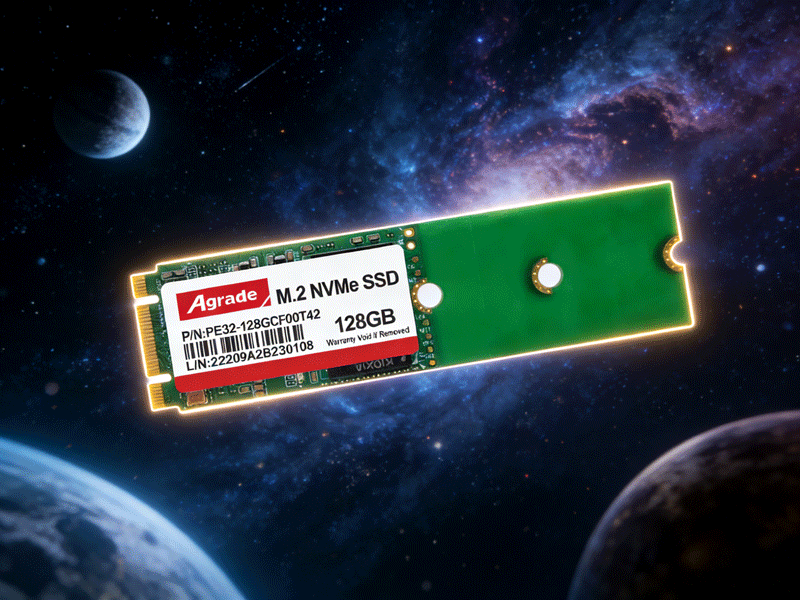
Next, consider the NAND flash type. TLC (Triple-Level Cell) is the sweet spot for most users, offering a balance of performance, lifespan (1000-2000 write cycles), and price. QLC (Quad-Level Cell) is cheaper but has shorter lifespans (around 150 write cycles) and drastic speed drops when cache is full—avoid it unless you’re only storing cold data (like old files or backups). Opt for original brand NAND from Samsung, Kioxia, or Yangtze Memory Technology, as they’re more reliable than cheap “white label” or “black label” chips.
Then, look at performance specs—but don’t just focus on sequential speeds. Sequential read/write speeds matter for large file transfers (video, raw photos), but 4K random read/write IOPS (Input/Output Operations Per Second) are more important for system responsiveness and gaming. Aim for 4K random read IOPS of at least 800,000 for a smooth experience. Also, check the sustained (cacheless) write speed—low-end drives may drop from 5000MB/s to 100MB/s once cache is full, which is frustrating for large transfers.
Lifespan and warranty are another key factor. Look for TBW (Total Bytes Written) values: a 1TB PCIe SSD should have a TBW of 600-1200TBW to last 5+ years with daily use (100GB written per day = ~10 years of use). Choose brands with 5-year warranties (Samsung, Western Digital, Zhitai) over no-name brands that may deny claims for “excessive use.”
Cooling is often overlooked but crucial for high-speed PCIe 4.0/5.0 SSDs. These drives generate significant heat, which triggers throttling if not cooled properly. Laptops should use low-heat models like the Zhitai TiPlus7100 or Western Digital SN580; desktops or PS5 can benefit from drives with built-in heat sinks (Samsung 990 Pro Heat Sink Edition) or aftermarket graphene patches.
Finally, match the capacity to your needs. 512GB is enough for OS and essential apps; 1TB is ideal for gamers and casual creators; 2TB+ is for professionals with large project files or extensive game libraries. By focusing on these factors—compatibility, NAND type, real-world performance, lifespan, cooling, and capacity—you’ll choose a PCIe SSD that fits your system and delivers value for years to come.

-
Products
Advantages
-
Solutions
-
News
About us
-
Contact us
Tel:+86 19926658803
Whatsapp:+86 19926658803
lianle1210@163.com
Address: 30CF, Caihong Building, Caihong Road, Futian District, Shenzhen City, Guangdong Province, China



Friendly Links:
