





















































News


 电商部
电商部  2025-12-25 16:12:47
 DDR5 RAM Overclocking Guide 2025 - Safe Tips for Beginners & Advanced Users
DDR5 RAM’s high-frequency potential makes overclocking a popular way to boost system performance, but many users fear complexity or hardware damage. This step-by-step guide simplifies DDR5 overclocking, covering both one-click and manual methods, along with stability testing and safety precautions for 2025’s latest hardware.
Pre-overclocking preparation is essential. First, verify hardware support: Intel Z-series (Z790/Z890) and select B-series (B760) motherboards, plus AMD X-series (X670/X770) and B-series (B650) boards, support memory overclocking . Update your motherboard’s BIOS to the latest version—manufacturers regularly release firmware updates to improve DDR5 compatibility and stability . Back up important data, as even minor hardware adjustments carry minimal risks, and familiarize yourself with your RAM’s default frequency (typically 4800MHz for DDR5) to set realistic goals .
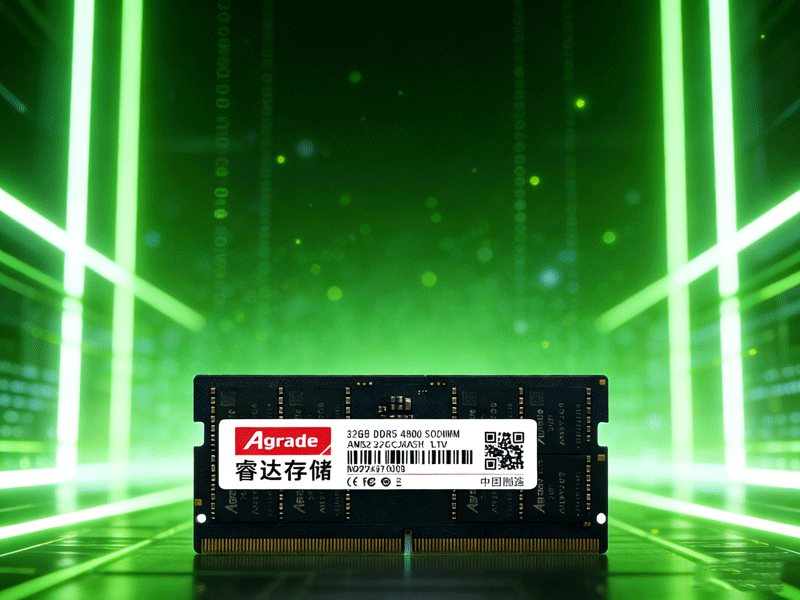
One-click overclocking (XMP/EXPO) is recommended for beginners. XMP (Extreme Memory Profile) works with Intel platforms, while EXPO (Extended Profiles for Overclocking) is for AMD systems. These pre-configured profiles store optimized frequency, timing, and voltage settings directly on the RAM module. To enable: Restart your PC, press Delete/F2 to enter BIOS, navigate to the OC/Tweaker tab, select XMP/EXPO, and enable Profile 1. Save changes (F10) and restart—your RAM will now run at the manufacturer’s optimized high frequency .
Advanced users can try manual overclocking for better performance. Start by disabling XMP/EXPO in BIOS, then incrementally increase the DRAM frequency (e.g., from 6000MHz to 6400MHz). Adjust core timings (tCL, tRCD, tRP, tRAS) using values from reliable sources for your RAM’s chip type (e.g., Hynix A-Die) . Increase voltage slightly—keep DRAM VDD/VDDQ under 1.35V initially to avoid overheating . Save settings and restart; if the system fails to boot, clear CMOS (via motherboard jumper or battery removal) and revert to previous values .
Stability testing ensures long-term reliability. Use MemTest86 (via USB bootable drive) for 4+ hours—zero errors indicate stable overclocking . AIDA64’s cache and memory benchmark can verify bandwidth improvements and monitor temperatures, which should stay below 80°C . Common issues like blue screens or crashes mean your settings are too aggressive—reduce frequency, relax timings, or increase voltage slightly. For Intel i9-14900K/Ryzen 9 8950X CPUs, adjust BIOS power limits to prevent overheating-related instability .

-
Products
Advantages
-
Solutions
-
News
About us
-
Contact us
Tel:+86 19926658803
Whatsapp:+86 19926658803
lianle1210@163.com
Address: 30CF, Caihong Building, Caihong Road, Futian District, Shenzhen City, Guangdong Province, China



Friendly Links:
