





















































News


 电商部
电商部  2025-12-25 16:13:23
 DDR5 RAM Compatibility Guide 2025 - Intel & AMD Platforms Explained
Maximizing DDR5 RAM performance requires proper compatibility with your CPU and motherboard. Many users mistakenly purchase high-frequency DDR5 modules only to find they don’t work with their platform or fail to reach advertised speeds. This guide clarifies 2025’s DDR5 compatibility rules for Intel and AMD systems, ensuring you avoid costly mistakes.
Intel platform compatibility follows strict generational lines. Only 12th Gen Core (Alder Lake) and newer CPUs support DDR5, including 13th, 14th Gen, and Ultra series processors . Motherboards must be 600/700/800 series models with DDR5 support (look for "D5" in the model name, e.g., B760M D5). Flagship Z890 motherboards for Arrow Lake CPUs stably support DDR5-6400+ and can overclock to 8000+MHz with premium modules . Mid-range Z790/B760 boards handle DDR5-5600 natively and overclock to 7200+MHz. 14th Gen Core CPUs natively support DDR5-5600, with high-end models like the i9-14900K optimizing for 7200+MHz operation .
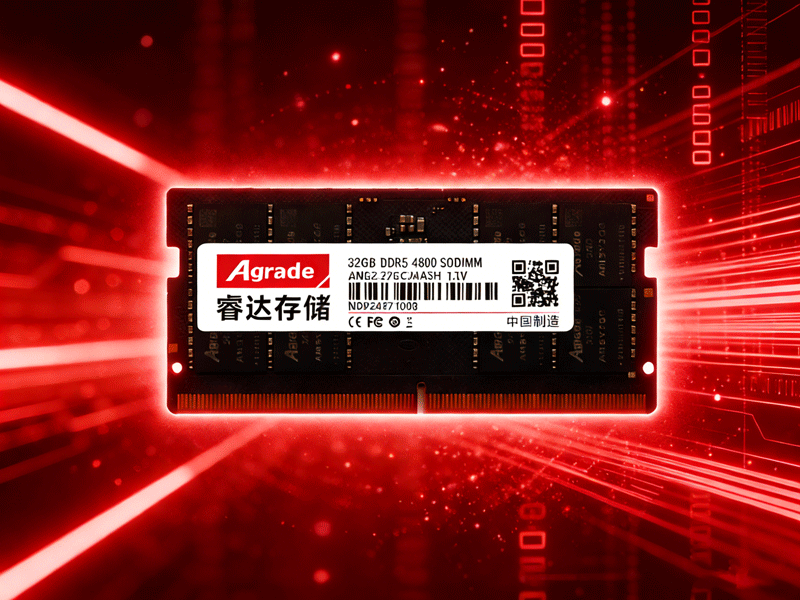
AMD platforms center on the AM5 socket, which natively supports DDR5 and excludes DDR4. Ryzen 7000 series (Zen 4) and newer CPUs (including Ryzen 8000/9000) work with DDR5, with Zen 5 architecture (Ryzen 8000) improving memory controller efficiency—reducing latency by 10% and boosting bandwidth by 15% at DDR5-6400 . X770 motherboards offer the best overclocking potential, supporting DDR5-7600+MHz, while B650 boards balance performance and cost for mainstream users . Critical for AMD users: Update to AGESA 1.1.0.0+ BIOS to avoid stability issues with 6000MHz+ DDR5 . Always choose DDR5 modules with EXPO certification for seamless compatibility .
Compatibility troubleshooting tips: If your DDR5 RAM doesn’t post, check the motherboard’s QVL to confirm support—modules outside the QVL may require manual BIOS adjustments. Mixed-brand/model RAM often causes instability, so stick to identical kits. For high-frequency modules (7200+MHz), ensure your motherboard’s VRM (voltage regulation module) has adequate cooling to avoid power-related throttling. Finally, dual-channel configurations (matching module pairs) are required for optimal performance; single-channel setups severely limit DDR5’s bandwidth advantage .

-
Products
Advantages
-
Solutions
-
News
About us
-
Contact us
Tel:+86 19926658803
Whatsapp:+86 19926658803
lianle1210@163.com
Address: 30CF, Caihong Building, Caihong Road, Futian District, Shenzhen City, Guangdong Province, China



Friendly Links:
