





















































News


 电商部
电商部  2026-01-14 15:25:07
 Laptop Memory Module Generations: DDR3 vs DDR4 vs DDR5 Key Differences
Laptop memory modules, also known as SO-DIMMs (Small Outline Dual In-Line Memory Modules), are critical components that directly affect a laptop’s multitasking ability and overall performance. Understanding the differences between DDR3, DDR4, and DDR5 generations is essential for anyone looking to upgrade their laptop’s memory or troubleshoot compatibility issues. Each generation features distinct improvements in voltage, speed, bandwidth, and physical design, making cross-generation compatibility impossible.
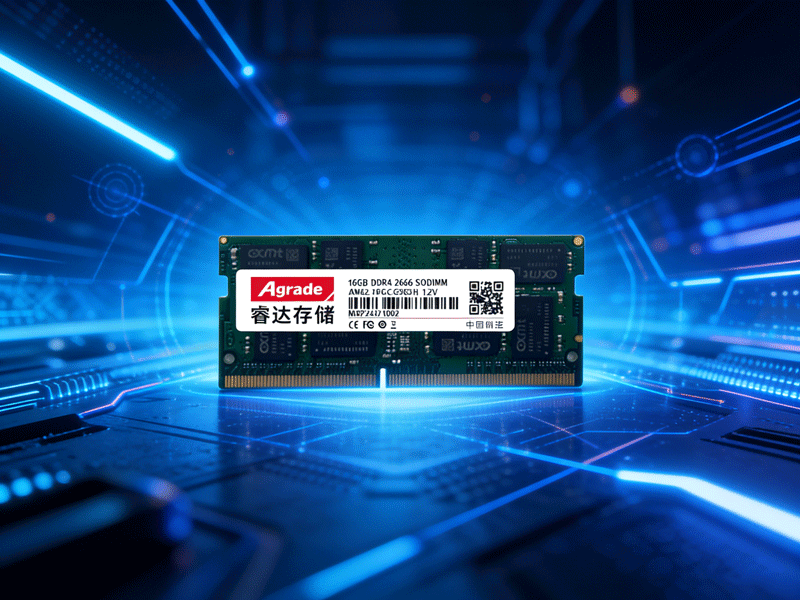
Physically, DDR3, DDR4, and DDR5 modules have different notch positions on their gold contacts, a design intended to prevent incorrect insertion. Forcing a module of the wrong generation into a slot can damage both the memory module and the laptop’s motherboard. DDR3 modules typically measure 67.6mm in length, while DDR4 and DDR5 SO-DIMMs are slightly longer at 69.6mm, though this difference is negligible for most users— the notch position remains the primary physical distinguisher.
Voltage is another key differentiator. DDR3 operates at 1.5V (1.35V for low-voltage DDR3L), DDR4 at 1.2V, and DDR5 at 1.1V. Lower voltage translates to reduced power consumption and heat generation, a crucial advantage for thin-and-light laptops that prioritize battery life. DDR5 further enhances energy efficiency with its on-die ECC (Error-Correcting Code) feature, which not only corrects data errors but also optimizes power usage during idle periods.
In terms of performance, DDR3 modules offer typical frequencies between 1066MHz and 1600MHz, with a maximum bandwidth of around 12.8 GB/s for dual-channel configurations. DDR4 boosts frequencies to 2133MHz-3200MHz, delivering bandwidth up to 25.6 GB/s. DDR5 takes a significant leap, starting at 4800MHz and supporting frequencies up to 6400MHz, with dual-channel bandwidth reaching 51.2 GB/s. This makes DDR5 ideal for resource-intensive tasks like video editing, 3D modeling, and gaming, while DDR3 and DDR4 remain sufficient for basic office work and web browsing.
When upgrading, always check your laptop’s motherboard manual or use tools like CPU-Z to confirm the supported generation. Older laptops with Intel 7th Gen or AMD FX processors typically support DDR3, while 8th Gen Intel and 2nd Gen AMD Ryzen processors and newer use DDR4. DDR5 is exclusive to the latest platforms, such as Intel 12th Gen+ and AMD Ryzen 6000 Series+ laptops. Mixing generations is never recommended, as it will result in non-recognition or system instability.

-
Products
Advantages
-
Solutions
-
News
About us
-
Contact us
Tel:+86 19926658803
Whatsapp:+86 19926658803
lianle1210@163.com
Address: 30CF, Caihong Building, Caihong Road, Futian District, Shenzhen City, Guangdong Province, China



Friendly Links:
