





















































News


 电商部
电商部  2026-02-06 18:34:20
 Common Faults and Solutions of Wide Temperature DDR4: Industrial Memory Maintenance Guide
Although Wide Temperature DDR4 has the advantages of high reliability and adaptability to extreme environments, it may still have various faults during long-term high-load operation in harsh environments, such as startup failure, data loss, and performance degradation. If these faults cannot be solved in time, they will affect the normal operation of the equipment, and even lead to production interruptions and data damage. This article will sort out the common faults of Wide Temperature DDR4, analyze the causes of the faults, and give targeted solutions, providing a practical guide for the maintenance of industrial-grade memory and reducing maintenance costs.
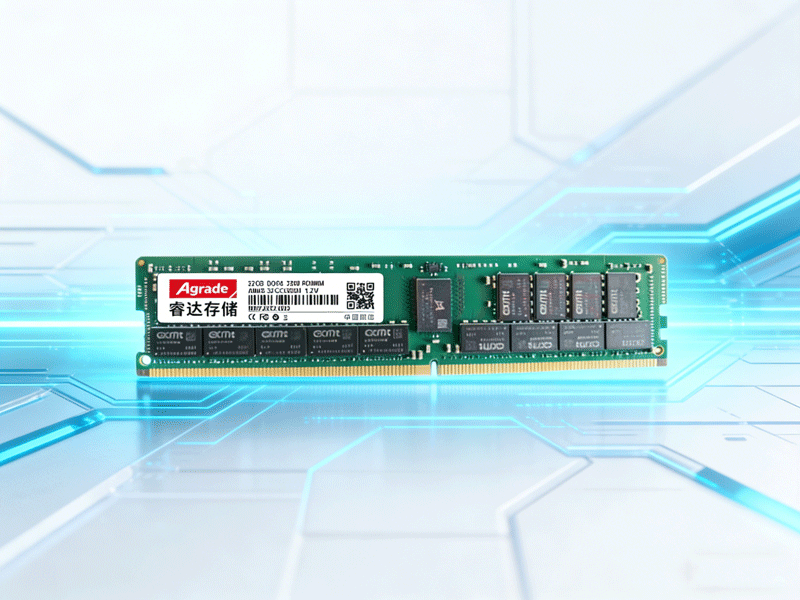
Common Fault 1: Failure to start in low-temperature environments. This is one of the most common faults of Wide Temperature DDR4, mainly caused by two reasons: first, wrong selection. The low-temperature tolerance range of the selected product does not meet the scenario requirements, such as using products with an operating temperature range of -20°C to 85°C in a -40°C environment. In this case, the memory chip cannot start normally due to excessive low temperature, leading to equipment failure. Second, poor contact. At low temperatures, the memory gold fingers and motherboard interface will have thermal expansion and contraction, leading to increased contact resistance and poor contact, which also causes startup failure.
Solution: First, confirm the low-temperature range of the application scenario and select a Wide Temperature DDR4 product that matches the low-temperature tolerance range. For example, in a -40°C environment, select a product with an operating temperature range of -40°C to 85°C or higher. Second, before starting the equipment in a low-temperature environment, preheat the equipment appropriately to raise the ambient temperature around the memory to the operating temperature range. If the failure is caused by poor contact, you can turn off the equipment, wipe the gold fingers with anhydrous ethanol to remove dust and oxidation, then reinsert the memory firmly to ensure good contact between the gold fingers and the motherboard interface.
Common Fault 2: Data loss and performance degradation in high-temperature environments. The main reasons are serious chip leakage and component aging caused by high temperature, or heat accumulation caused by poor heat dissipation. In high-temperature environments, if the memory heat dissipation is not smooth, the chip temperature will rise rapidly, leading to increased leakage current, data loss, and reduced data transmission rate. In addition, long-term operation in high-temperature environments will accelerate the aging of capacitors, resistors, and other components, leading to unstable performance of the memory and even permanent damage.
Solution: First, check the heat dissipation system of the equipment, clean the heat dissipation channels and heat sinks, ensure that the memory can dissipate heat smoothly, and reduce heat accumulation. If necessary, add additional heat dissipation equipment, such as heat dissipation fans or heat dissipation stickers, to improve the heat dissipation effect. Second, confirm the high-temperature tolerance range of the memory. If it does not meet the scenario requirements, replace it with a higher-specification automotive-grade or high-end industrial-grade product with a wider high-temperature tolerance range.
At the same time, check whether the conformal coating and anti-sulfurization protective layer of the memory are intact. If there is damage, replace the memory in time to avoid further aging of the components. In addition, reduce the long-term high-load operation of the equipment in high-temperature environments as much as possible, and take measures such as intermittent operation to reduce the working pressure of the memory.
Common Fault 3: Frequent freezes and errors during operation. The main reasons are abnormal ECC error correction function, incompatibility between memory frequency and motherboard, or performance bottlenecks caused by insufficient memory capacity. If the ECC error correction function is abnormal, the memory cannot automatically detect and correct data transmission errors, leading to data errors and equipment freezes. If the memory frequency is incompatible with the motherboard, the memory cannot operate at the specified frequency, leading to reduced performance and frequent errors. If the memory capacity is insufficient, the equipment cannot cache a large amount of real-time data, leading to freezes during high-load operation.
Solution: First, check whether the ECC error correction function of the memory is turned on. If it is abnormal, restart the equipment or reinsert the memory to reset the function. If the problem persists, test the memory with professional testing software to check whether the ECC error correction function is damaged. If it is damaged, replace the memory in time. Second, confirm the compatibility between the memory frequency and the motherboard. If it is incompatible, adjust the memory frequency to the range supported by the motherboard through the BIOS settings. Finally, if the capacity is insufficient, increase the memory capacity or replace it with a memory module with larger capacity to avoid performance bottlenecks.

-
Products
Advantages
-
Solutions
-
News
About us
-
Contact us
Tel:+86 19926658803
Whatsapp:+86 19926658803
lianle1210@163.com
Address: 30CF, Caihong Building, Caihong Road, Futian District, Shenzhen City, Guangdong Province, China



Friendly Links:
