





















































News


 电商部
电商部  2025-12-05 10:10:05
 Top mSATA SSDs 2025 – Buying Guide for Speed, Capacity & Compatibility
If you’re upgrading an ultrabook, industrial PC, legacy laptop, or embedded system, mSATA SSDs remain a standout choice for space-constrained devices where standard 2.5-inch SATA drives won’t fit. These compact solid-state drives follow the mSATA (mini-SATA) specification, measuring just 50.8mm x 29.85mm x 4.85mm—roughly the size of a business card—and leveraging SATA III (6Gbps) interface technology to deliver sequential read speeds up to 550 MB/s and write speeds up to 520 MB/s. This performance is a game-changer for older devices: replacing a traditional HDD with an mSATA SSD can cut boot times from 2-3 minutes to 10-15 seconds, reduce application load times by 60%+, and eliminate the lag associated with mechanical disk spinning. When shopping for an mSATA SSD, durability should be a top priority, and 3D TLC NAND flash is the gold standard here. Unlike older MLC or TLC NAND, 3D TLC stacks memory cells vertically, increasing storage density while improving endurance and reducing power consumption. Models like the Kingston KC600 mSATA, for example, use 3D TLC NAND and offer AES 256-bit hardware encryption, TCG Opal 2.0 compliance, and a 5-year warranty, making them ideal for both personal and professional use where data security is non-negotiable.
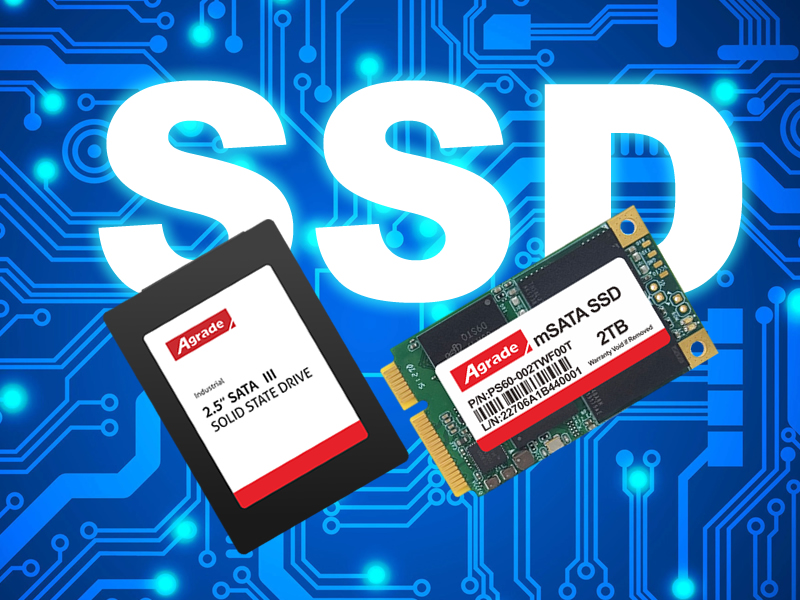
Capacity options for mSATA SSDs range from 256GB to 2TB, but for most users, a 512GB drive strikes the perfect balance between cost and utility. A 512GB mSATA SSD typically offers 300TBW (Terabytes Written) of endurance—meaning it can handle 300 terabytes of data writes before showing signs of wear—enough for average users who write 50GB of data per day to use the drive for over 16 years. For power users, content creators, or industrial applications, 1TB or 2TB models (with 600TBW+ endurance) are worth the investment, as they provide ample space for large files, databases, or continuous data logging. Compatibility checks are critical before purchasing: older motherboards (pre-2015) may only support SATA II (3Gbps), which caps speeds at 300 MB/s, while some OEM devices (like certain Dell, Lenovo, or HP laptops) have firmware whitelists that restrict use to specific brands or models. To avoid compatibility issues, use tools like CPU-Z or your laptop’s official specifications page to confirm mSATA slot availability and interface support.
For industrial or outdoor applications, look for mSATA SSDs with extended temperature ranges (-40°C to 85°C) and JESD218 compliance, a standard that ensures reliability in harsh environments. These drives are built to withstand extreme temperatures, humidity, vibration, and shock—essential for IoT devices, industrial controllers, and automotive systems. Another key feature to prioritize is DRAM cache: drives without DRAM rely on the host system’s RAM for caching, which leads to significant write speed drops during prolonged use (e.g., copying large files or running multiple applications simultaneously). DRAM-equipped mSATA SSDs maintain consistent performance by using dedicated memory to store frequently accessed data, making them far more reliable for intensive tasks. With prices ranging from $30 for a 256GB budget model to $150 for a 2TB high-end drive, mSATA SSDs offer a cost-effective way to extend the lifespan of aging hardware without sacrificing performance. Whether you’re reviving a 10-year-old laptop or building a compact embedded system, an mSATA SSD is a versatile upgrade that delivers immediate, tangible benefits.

-
Products
Advantages
-
Solutions
-
News
About us
-
Contact us
Tel:+86 19926658803
Whatsapp:+86 19926658803
lianle1210@163.com
Address: 30CF, Caihong Building, Caihong Road, Futian District, Shenzhen City, Guangdong Province, China



Friendly Links:
