





















































News


 电商部
电商部  2025-12-05 10:18:31
 mSATA SSD vs SATA SSD – What’s the Difference & Which to Choose?
While mSATA SSDs and 2.5-inch SATA SSDs both use the SATA III (6Gbps) protocol, their form factors, use cases, and practical applications differ dramatically, making each better suited for specific scenarios. To start with the basics: a 2.5-inch SATA SSD is the standard solid-state drive form factor, measuring 100mm x 69.85mm x 7mm (or thinner for “ultra-slim” models) and requiring a separate power cable (SATA power connector) and data cable (SATA data cable) to operate. These drives are designed for desktops, laptops with standard hard drive bays, NAS (Network Attached Storage) devices, and external enclosures, making them the go-to choice for general-purpose upgrades where space isn’t a constraint. On the other hand, mSATA SSDs are pin-compatible with PCIe Mini Card slots (common in ultrabooks, netbooks, and industrial motherboards) and draw power directly from the motherboard, eliminating the need for extra cables. Their compact size (50.8mm x 29.85mm x 4.85mm) makes them ideal for thin-and-light laptops, embedded systems, 工控机 (industrial controllers), and legacy hardware where 2.5-inch drives won’t fit.
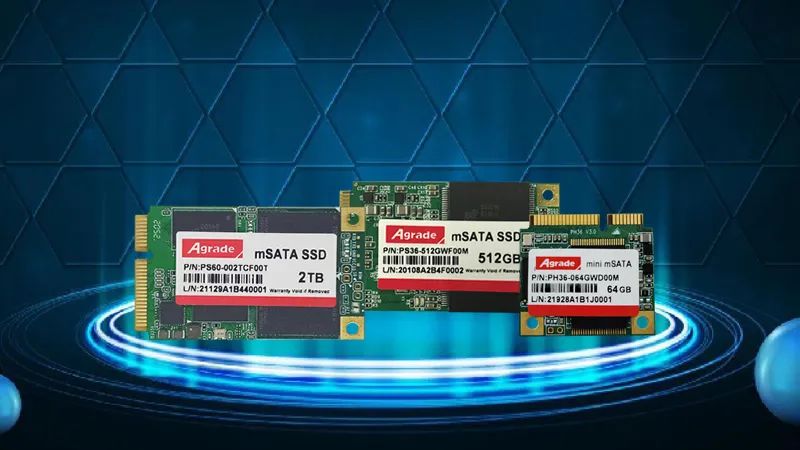
In terms of performance, top-tier mSATA and SATA SSDs deliver nearly identical speeds: sequential read speeds up to 550 MB/s and write speeds up to 520 MB/s, thanks to the SATA III interface’s 6Gbps bandwidth. However, there are subtle differences in real-world use: mSATA SSDs may run slightly warmer (by 5-10°C) than 2.5-inch SATA SSDs, as their compact design offers less surface area for heat dissipation. This is rarely an issue for most users, but in tight enclosures (like small-form-factor PCs or industrial control panels), it’s worth choosing a drive with a heatsink or ensuring adequate ventilation. Cost is another key distinction: mSATA SSDs are typically 15-20% more expensive than 2.5-inch SATA SSDs of the same capacity, due to the more complex manufacturing process required for their compact form factor. For example, a 512GB 2.5-inch SATA SSD might cost $40, while a 512GB mSATA SSD could run $45-$50. This price premium is justified for space-constrained devices but unnecessary for desktops or laptops with standard drive bays.
Compatibility is a major factor when choosing between the two. Most modern desktops and laptops (post-2015) come with M.2 slots (which support both SATA and NVMe protocols) rather than mSATA slots, making 2.5-inch SATA SSDs more versatile for general upgrades. However, older ultrabooks (2010-2020) and industrial motherboards often feature mSATA slots as the only solid-state storage option, making mSATA SSDs the only viable upgrade path. For users who want flexibility, investing in a mSATA-to-SATA adapter (costing $10-$15) allows you to use an mSATA SSD in a standard 2.5-inch drive bay, combining the compact size of mSATA with the universality of SATA. This is particularly useful for building external SSD enclosures or upgrading older desktops while keeping the option to reuse the drive in a laptop later.
It’s also important to note that mSATA is not obsolete—far from it. While M.2 has become the dominant form factor for modern devices, mSATA remains a staple in industrial applications, legacy hardware, and embedded systems where M.2 slots are unavailable or impractical. Industrial-grade mSATA SSDs, in particular, offer features like wide temperature ranges, high endurance, and vibration resistance that are critical for harsh environments, making them irreplaceable for IoT devices, automation systems, and automotive applications. To sum up: choose a 2.5-inch SATA SSD if you’re upgrading a desktop, NAS device, or laptop with a standard drive bay and want the best value for money. Opt for an mSATA SSD if you’re upgrading a thin-and-light laptop, legacy hardware, or an embedded system where space is limited. And if you need flexibility, pair an mSATA SSD with an adapter to use it across multiple devices. Both form factors deliver excellent performance—your choice should hinge on your device’s compatibility and your specific storage needs.

-
Products
Advantages
-
Solutions
-
News
About us
-
Contact us
Tel:+86 19926658803
Whatsapp:+86 19926658803
lianle1210@163.com
Address: 30CF, Caihong Building, Caihong Road, Futian District, Shenzhen City, Guangdong Province, China



Friendly Links:
