





















































News


 电商部
电商部  2026-01-13 10:36:37
 Server memory compatibility guide: a must-read to avoid pitfalls
The compatibility of server memory modules directly determines system stability. Compared to regular memory, it has stricter matching requirements for CPUs, motherboards, and existing memory. Blindly purchasing can lead to issues such as unrecognizability, reduced frequency operation, and blue screens. It is necessary to follow the principle of "checking specifications first, then selecting products".
First and foremost, it is crucial to match the interface type with the CPU specifications, as different CPUs support specific types of memory. The Intel Xeon 4th generation Scalable series supports DDR5, while the 3rd generation and earlier support DDR4. The Xeon E series is only compatible with ECC UDIMMs, while Xeon Silver/Gold supports RDIMMs/LRDIMMs. The entire AMD EPYC series supports both DDR4 and DDR5, and is compatible with RDIMMs/LRDIMMs. Mismatching these components can result in the system not booting up.
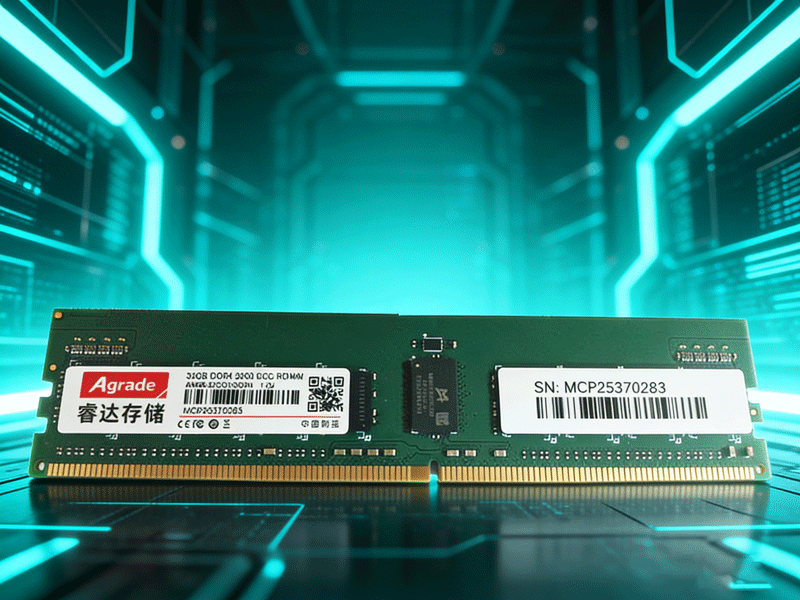
Next, consult the Qualified Vendor List (QVL) for the motherboard, and give priority to selecting memory models certified by the manufacturer, including brand, capacity, frequency, and package type, to avoid compatibility issues with non-certified products. For example, some motherboards have limited support for single memory modules exceeding 64GB, so it is necessary to confirm the upper limit in advance.
The mixing rules must be strictly adhered to: RDIMM and LRDIMM cannot be mixed, and ECC and non-ECC cannot be mixed; when mixing memories of different frequencies, the lowest frequency will prevail; it is recommended to use memories of the same brand and specification, and to symmetrically fill the channels. For example, an 8-channel server should preferably be configured with 8 memories of the same specification to maximize bandwidth performance. In addition, after upgrading the memory, the BIOS/UEFI firmware can be updated to optimize compatibility and stability.

-
Products
Advantages
-
Solutions
-
News
About us
-
Contact us
Tel:+86 19926658803
Whatsapp:+86 19926658803
lianle1210@163.com
Address: 30CF, Caihong Building, Caihong Road, Futian District, Shenzhen City, Guangdong Province, China



Friendly Links:
