





















































News


 电商部
电商部  2026-01-14 15:29:04
 Common Laptop Memory Module Failures: Symptoms and Diagnostic Methods
Laptop memory module failures are a common cause of system instability,蓝屏 errors, and boot issues. These failures can stem from physical damage, overheating, voltage fluctuations, or natural wear and tear. Recognizing the symptoms of memory failure and knowing how to diagnose the issue can help you avoid data loss and determine whether to repair or replace the module.
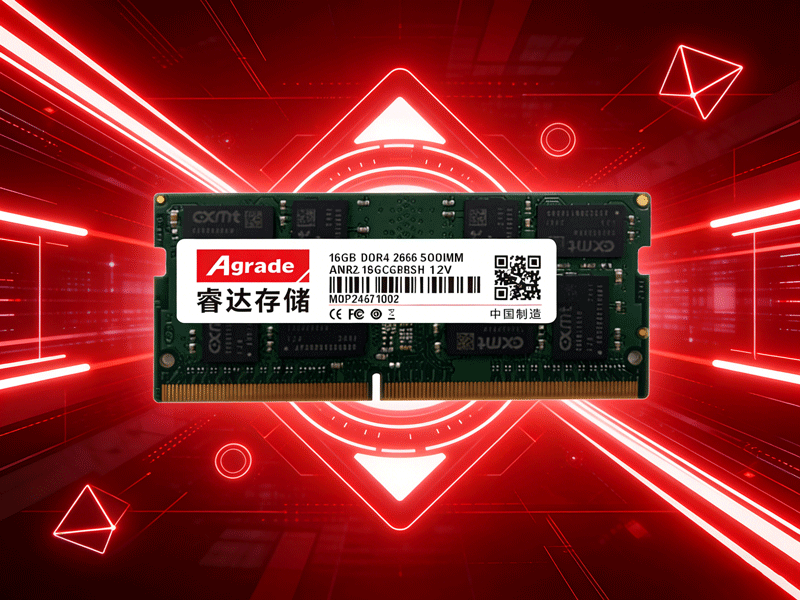
The most common symptoms of memory module failure include frequent blue screen of death (BSOD) errors, especially with codes like “MEMORY_MANAGEMENT”, “IRQL_NOT_LESS_OR_EQUAL”, or “BAD_POOL_CALLER”. These errors occur when the system detects corrupted data or unresponsive memory. Other symptoms include random system crashes, slow performance (even with a fresh OS install), application freezes, and failure to boot (with a beeping sound from the laptop— beep codes vary by manufacturer but often indicate memory issues).
Basic diagnostic steps start with physical inspection. Power off the laptop, remove the battery and power adapter, and discharge static by touching a metal surface. Remove the memory module and check for visible damage: bent gold contacts, burnt or swollen chips, or cracks on the PCB. Use an eraser to gently clean the gold contacts (to remove oxidation) and reinsert the module firmly. If the issue persists, try inserting the module into a different slot (if available) to rule out a faulty slot.
Software diagnostics are more accurate for confirming memory failures. MemTest86 is the industry-standard tool— it creates a bootable USB drive and tests the memory for errors without relying on the operating system. Run MemTest86 for at least one full pass (30-60 minutes); any red errors indicate a faulty module. Windows users can also use the built-in Windows Memory Diagnostic Tool: press Win+R, type “mdsched.exe”, and select “Restart now and check for problems”.
For laptops with multiple modules, the “single-module test” helps identify the faulty one. Remove all modules except one, boot the laptop, and test for stability. Repeat with each module individually until you find the one causing issues. If all modules fail the test, the problem may be with the motherboard’s memory controller, requiring professional repair. It’s also important to check for overheating— use tools like HWMonitor to monitor memory temperature; excessive heat (above 85°C) can cause temporary failures and reduce lifespan.

-
Products
Advantages
-
Solutions
-
News
About us
-
Contact us
Tel:+86 19926658803
Whatsapp:+86 19926658803
lianle1210@163.com
Address: 30CF, Caihong Building, Caihong Road, Futian District, Shenzhen City, Guangdong Province, China



Friendly Links:
