





















































News


 电商部
电商部  2026-01-14 15:30:37
 Standard vs Low-Voltage Laptop Memory Modules: Which to Choose?
Laptop memory modules are available in standard and low-voltage variants, each designed for specific use cases. The difference lies in operating voltage, which affects power consumption, heat generation, battery life, and compatibility. Choosing the right voltage variant is critical— using an incompatible module can cause boot failures, system instability, or even damage to the laptop’s motherboard. Understanding the pros and cons of each variant helps you make an informed decision based on your laptop’s design and usage.
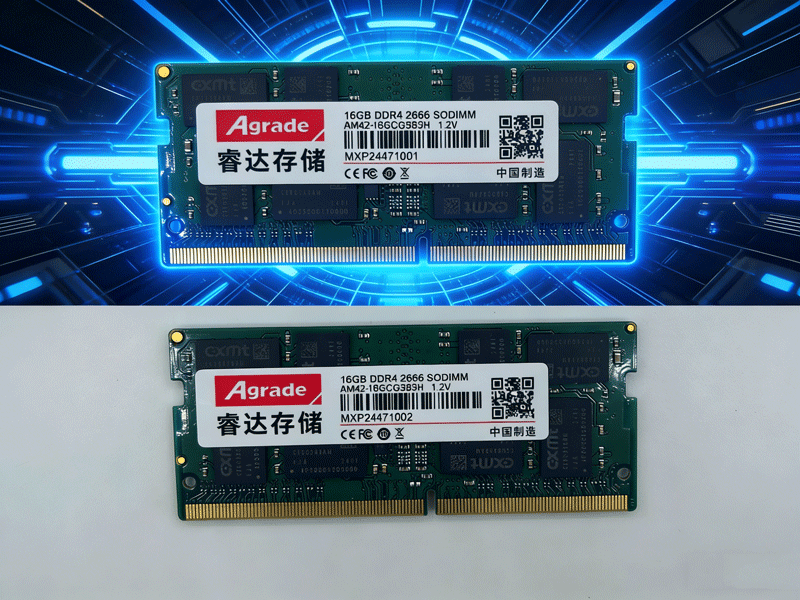
Standard-voltage modules are designed for performance-focused laptops like gaming laptops and workstations. DDR3 standard modules run at 1.5V, DDR4 at 1.2V, and DDR5 at 1.1V. These modules offer higher frequency potential and better stability under heavy loads, making them ideal for tasks like gaming, video editing, and 3D rendering. The slightly higher voltage ensures consistent performance when the module is pushed to its limits, and they are compatible with most laptops that support their generation.
Low-voltage modules (denoted by “L” in the model name, e.g., DDR3L, DDR4L) are optimized for energy efficiency. DDR3L runs at 1.35V, DDR4L at 1.05V, and DDR5 does not have a low-voltage variant (its 1.1V is already optimized). Low-voltage modules consume 10-20% less power than standard modules, reducing heat generation and extending battery life— a key advantage for thin-and-light laptops, ultrabooks, and 2-in-1 devices, which prioritize portability over raw performance.
Compatibility is a key consideration. Low-voltage DDR3L modules are backward compatible with most DDR3 slots— the motherboard will automatically adjust the voltage to 1.35V. However, standard DDR3 modules are not forward compatible with DDR3L-only slots; inserting a 1.5V DDR3 module into a laptop that only supports 1.35V DDR3L can cause boot failures or permanent damage. For DDR4, low-voltage DDR4L is less common, and most modern laptops support both standard 1.2V and low-voltage 1.05V DDR4 modules, though mixing them is not recommended (it can cause instability).
When choosing between standard and low-voltage modules, consider your laptop’s usage. If you have a gaming laptop or workstation and prioritize performance, opt for standard-voltage modules. If you have a thin-and-light laptop and value battery life and quiet operation (less heat means less fan noise), low-voltage modules are the better choice. Always check your laptop’s manual or manufacturer’s website to confirm the supported voltage range before purchasing.

-
Products
Advantages
-
Solutions
-
News
About us
-
Contact us
Tel:+86 19926658803
Whatsapp:+86 19926658803
lianle1210@163.com
Address: 30CF, Caihong Building, Caihong Road, Futian District, Shenzhen City, Guangdong Province, China



Friendly Links:
