





















































News


 电商部
电商部  2026-01-15 16:56:42
 The Importance of Dual-Channel Mode for Desktop Computer Memory Modules
Dual-channel mode is a key feature that optimizes the performance of desktop computer memory modules by allowing them to operate in pairs, effectively doubling the data transfer bandwidth compared to single-channel mode. This technology works by splitting data into two streams, which are processed simultaneously by the memory controller, resulting in faster data access and improved system responsiveness. The benefits are particularly noticeable for memory-intensive tasks like gaming, video editing, 3D rendering, and multitasking with multiple applications. Most modern motherboards—whether for Intel or AMD processors—support dual-channel mode, but it requires installing two identical memory modules in the correct DIMM slots, as mismatched modules may not enable the feature or could cause stability issues.
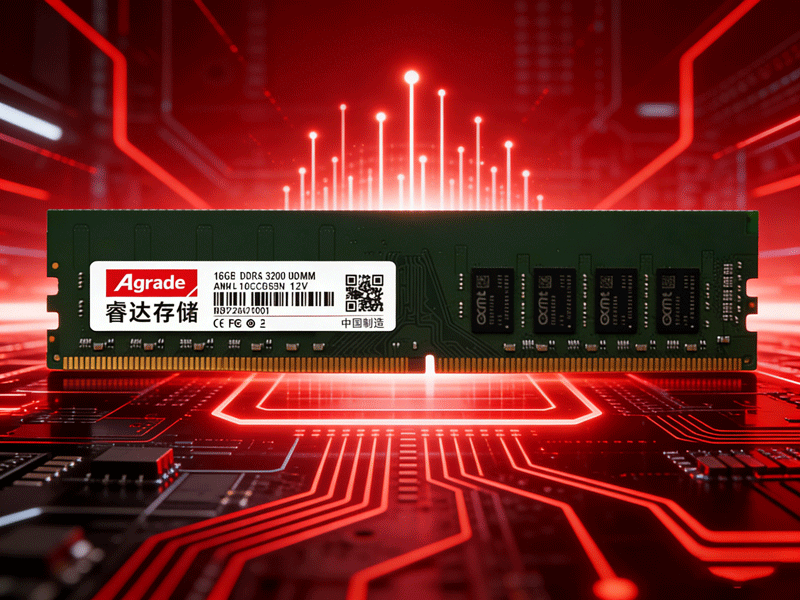
To enable dual-channel mode, start by consulting your motherboard’s manual to identify the correct slots for dual-channel configuration. Most motherboards use color-coded DIMM slots to simplify this process—for example, slots 1 and 3 may be black, while slots 2 and 4 are blue. To enable dual-channel, install one memory module in a slot of one color and the other in the corresponding slot of the same color (e.g., slot 1 and slot 3). It’s crucial to use identical modules: they must have the same capacity, clock speed, latency, and memory type (DDR4 or DDR5). Mixing modules with different specifications can prevent dual-channel mode from activating, or worse, cause system crashes and instability. For example, pairing an 8GB DDR4 3200MHz module with a 16GB DDR4 3600MHz module will likely force the system to run in single-channel mode at the lower speed, negating any performance benefits.
The benefits of dual-channel mode are tangible across various use cases. Gamers will experience faster load times for game levels, smoother frame rates, and reduced stuttering—especially in open-world games that require constant data streaming. Content creators working with large files will benefit from faster data processing, which reduces rendering and export times for videos and 3D projects. Even everyday users will notice improved multitasking performance, as the system can handle more applications simultaneously without slowing down or freezing. For example, running a web browser with 50+ tabs, a music streaming service, and a productivity suite will feel significantly smoother with dual-channel memory. Investing in a pair of identical desktop computer memory modules to enable dual-channel mode is a cost-effective way to boost system performance without upgrading more expensive components like the CPU or GPU.

-
Products
Advantages
-
Solutions
-
News
About us
-
Contact us
Tel:+86 19926658803
Whatsapp:+86 19926658803
lianle1210@163.com
Address: 30CF, Caihong Building, Caihong Road, Futian District, Shenzhen City, Guangdong Province, China



Friendly Links:
